
One free app with a PC optimizer, a driver updater, a screen recorder, an FPS counter, an internet limiter and 11 more tools, all in one tool menu.
What is Syphon Tools?
Most PC tools do one job, want a subscription or come with ads. Syphon Tools takes a different route. It is one free app for Windows 10 and 11 with 16 tools behind a single tool menu, made by Syphon for gamers and everyday PC users.
Tune Windows for gaming, update your drivers from official sources, see which apps use your internet, record your gameplay, remove programs without leftovers and test your hardware, all without installing a dozen different programs. Every tool talks in plain words, the tools that change Windows show you what they will change first, and every tool opens in its own window, so you can use several side by side.
Syphon Tools is free with a free Syphon account, and it checks for a new version every time it starts, so you always have the newest tools.
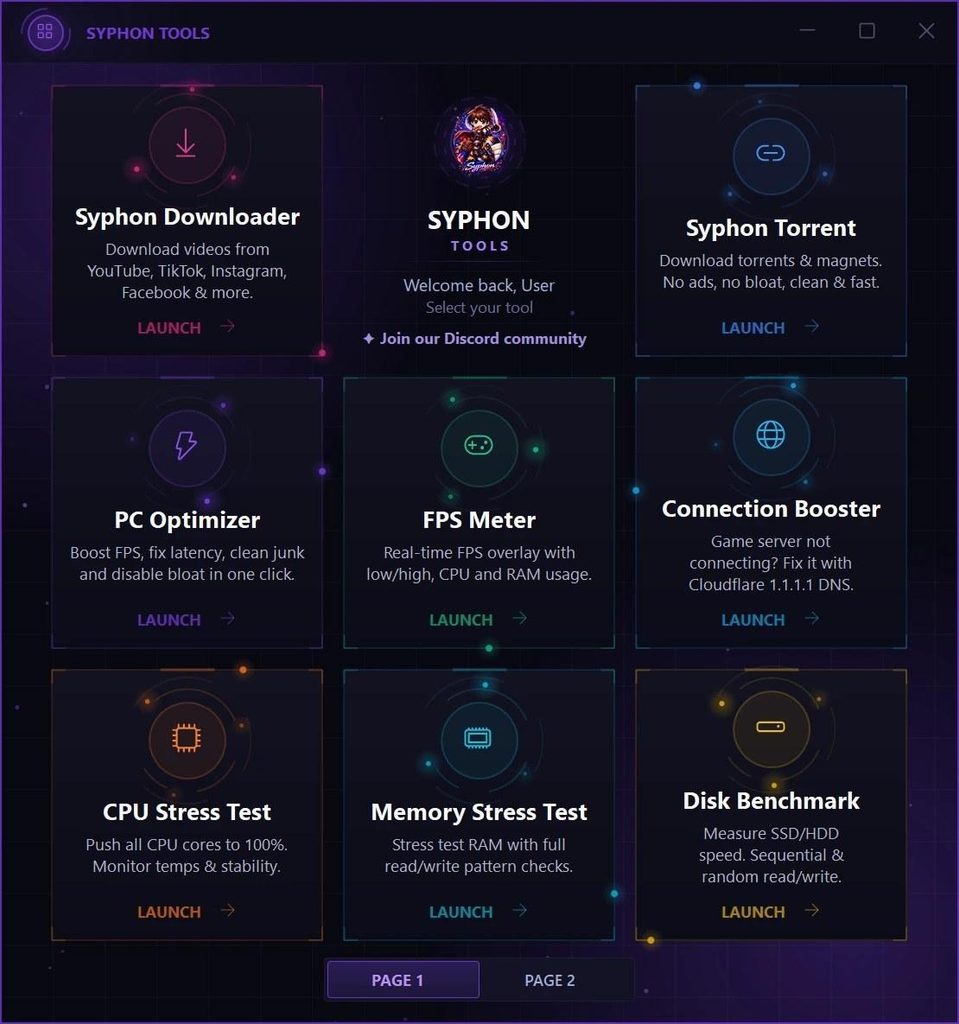
The Syphon Tools tool menu: every tool in its own colour
A free PC optimizer, and the tools to keep Windows clean
Six tools that get Windows ready for gaming, remove what you don’t need and keep your drivers, drives and connection in shape.
PERFORMANCE
PC Optimizer: tune Windows 10 and 11 for gaming
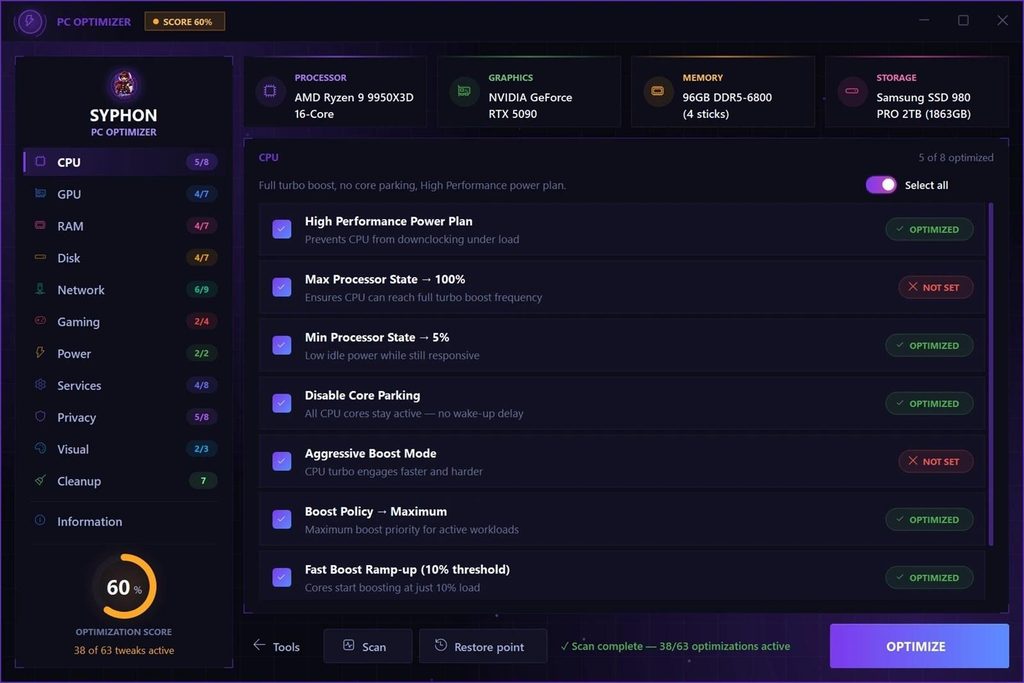
The PC Optimizer is a free PC optimizer for gaming. It checks more than 60 Windows settings and first shows you which ones are already set up for games. Untick anything you want to keep, then apply the rest in one click: the High Performance power plan, Game Bar recording and mouse acceleration off, Windows tips off, and no more sharing your update downloads with other PCs.
It also clears out junk: temp files, browser cache, the Windows update cache and the Recycle Bin.
- Scan first: see what is already set
- One click for the rest, untick what you want to keep
- Cleans temp files, browser and update cache
- Restore point button to roll settings back
Tip: press Restore point before you optimize. Some changes only work after a restart.
CLEAN REMOVAL
Syphon Uninstaller: remove programs and their leftovers
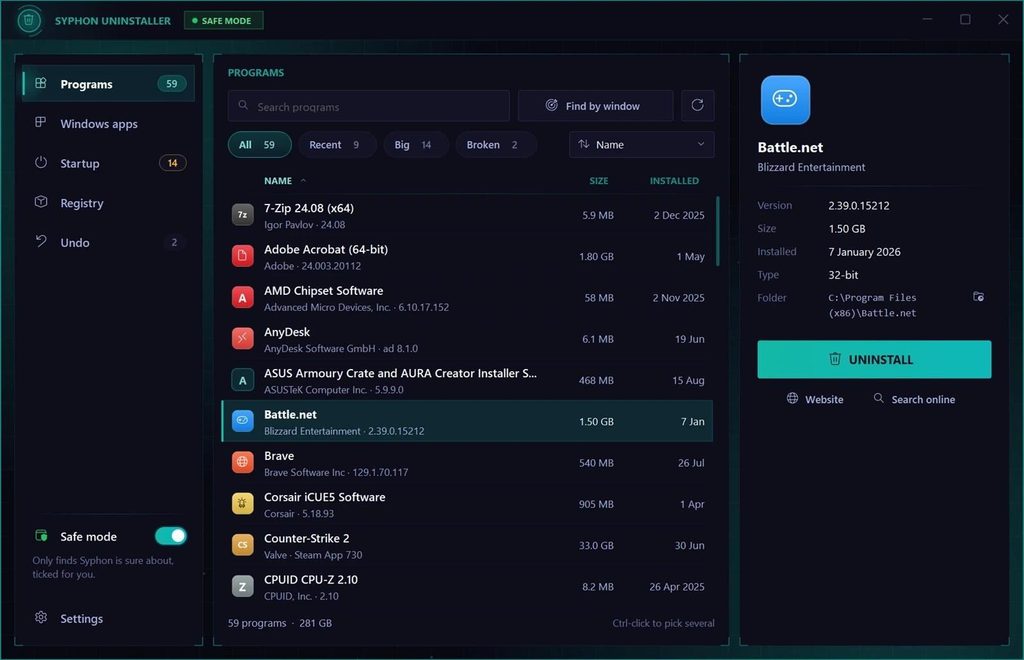
Uninstalling a program in Windows often leaves folders, shortcuts and registry entries behind. The Syphon Uninstaller runs the program’s own uninstaller, then finds those leftovers and lets you choose what goes.
It makes a restore point first, moves removed files to the Recycle Bin and backs up registry entries, so you can undo it for 60 days. It also removes Microsoft Store apps and switches startup programs on or off, just like Task Manager.
- Finds leftover folders, shortcuts and registry entries
- Remove several programs in a row
- Find by window: drag onto a window to find its program
- Safe mode on by default, undo for 60 days
CONNECTION FIX
Connection Booster: fix connection problems with Cloudflare DNS
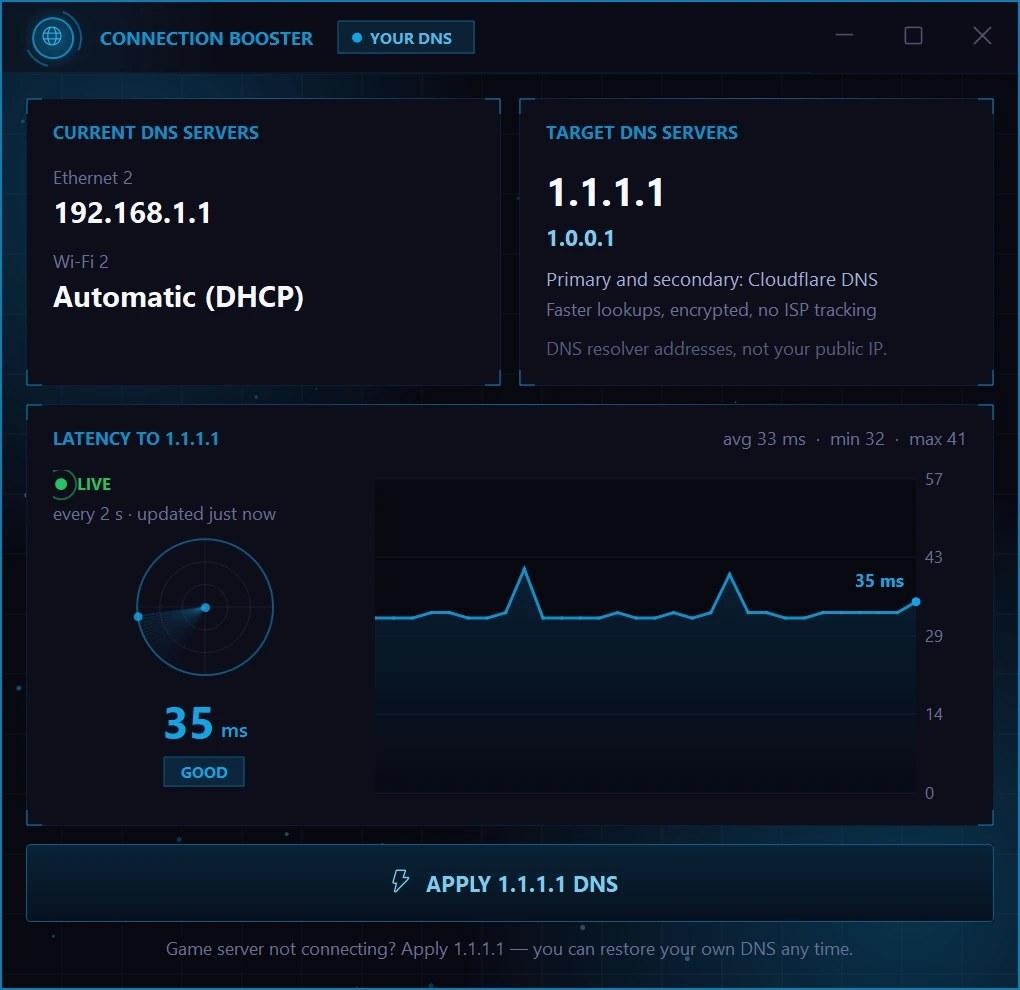
When a game or launcher won’t connect, the problem is sometimes your DNS, the phone book that turns server names into addresses. The Connection Booster switches every active network adapter to Cloudflare’s 1.1.1.1 and 1.0.0.1 in one click.
It shows your current DNS first, puts your original DNS back with one button, and draws a live ping graph of your connection to Cloudflare.
- Cloudflare 1.1.1.1 and 1.0.0.1 in one click
- See your current DNS before you change it
- One button puts your old DNS back
- Live ping graph every 2 seconds
DRIVERS
Syphon Updater: a driver updater that only uses official sources
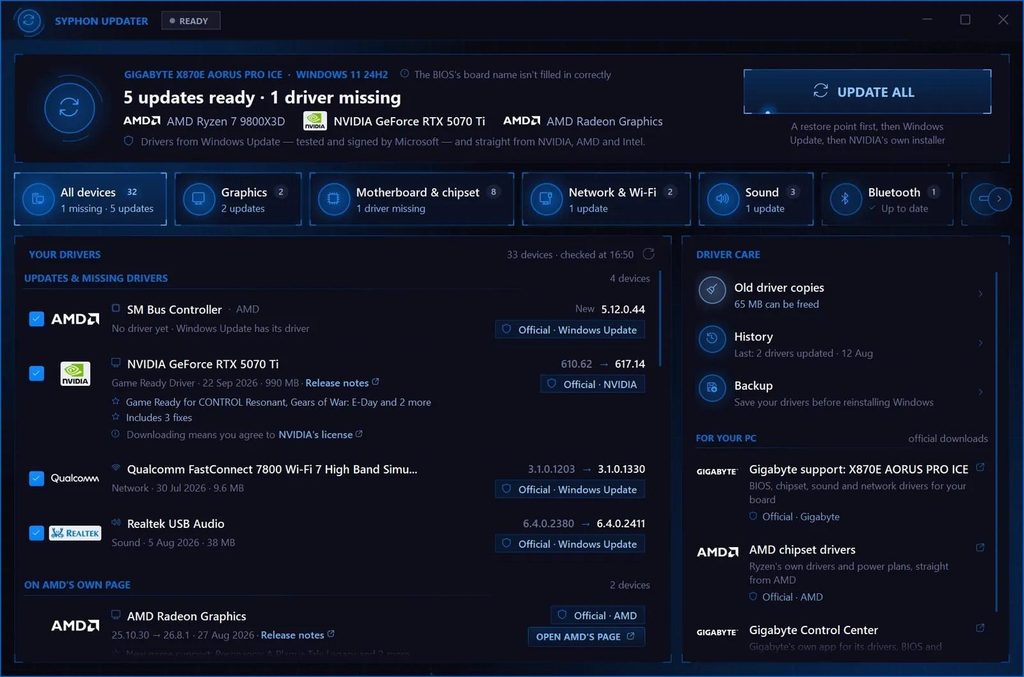
Syphon Updater shows every device in your PC and its driver in plain words: up to date, no driver yet, not working right, or a new version ready. One button updates everything that is ready, and a restore point comes first.
Drivers only come from official sources: Windows Update, and NVIDIA, AMD or Intel directly for your graphics card. For anything else it opens your PC or motherboard maker’s own support page for your model.
- Graphics drivers straight from NVIDIA, AMD or Intel
- Everything else from Windows Update
- Go back to the previous driver, clear old copies
- Back up your drivers before reinstalling Windows
GAME LOADING
Syphon Defrag: defragment hard drives and TRIM SSDs
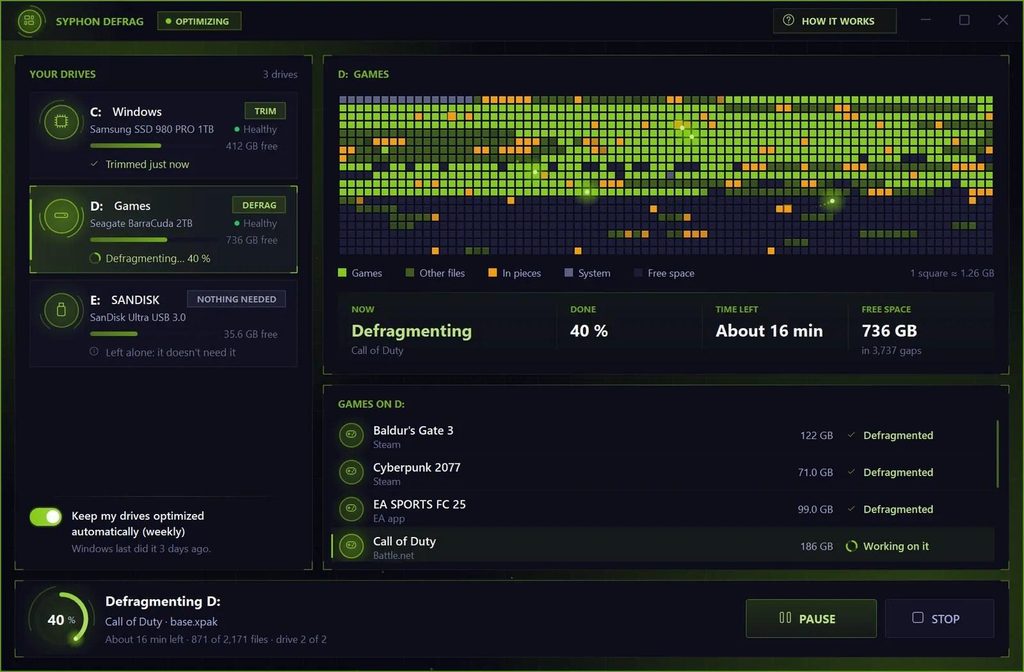
Games on a hard drive load slower when their files are split into pieces. Syphon Defrag puts them back together, your games first, and picks the right job for each drive by itself: hard drives are defragmented, SSDs get a TRIM like Windows does it, and USB sticks are left alone.
It finds games from Steam, Epic, GOG, EA, Ubisoft, Battle.net, Riot, Xbox and more, pauses by itself while you play, and shows a live map of your drive while it works.
- Games first, for faster loading from a hard drive
- Never defragments an SSD: it gets a TRIM
- Pauses by itself while you play
- Before and after result
It helps games load faster from a hard drive. It doesn’t raise your FPS.
INTERNET USE
Syphon Limiter: see which apps use your internet
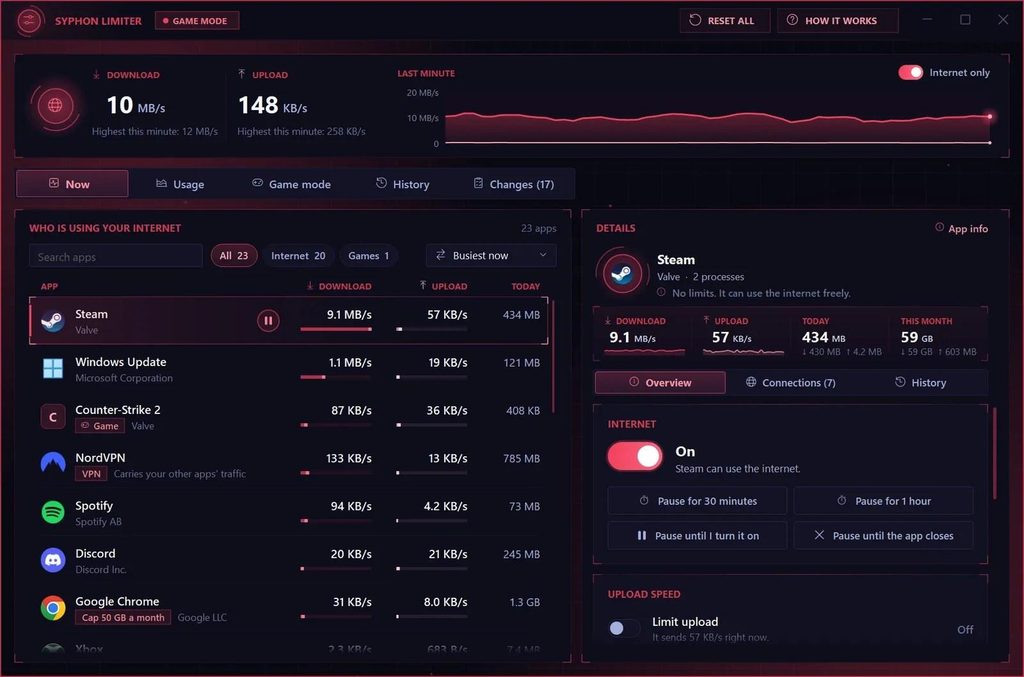
Is your game lagging or your download crawling? Syphon Limiter shows which apps use your internet right now, with each app’s download and upload and what it used today, busiest first.
Pause any app’s internet in one click, for 30 minutes, an hour, until you turn it on or until the app closes. Slow down what an app sends, set a data cap per day, week or month, or turn on game mode to pause the apps you pick while you play. You can also see where every app connects to, with country, flag and network owner.
- Live download and upload for every app
- Pause an app’s internet in one click
- Upload limits, data caps and game mode
- Every change listed, Reset all puts it back
Windows can only slow down what an app sends. Downloads can be paused, not slowed.
Record your games, save videos and automate the boring parts
A screen recorder built for gameplay, a macro recorder, and clean downloaders for videos and torrents.
CAPTURE
Screen Recorder: a free screen recorder for gaming
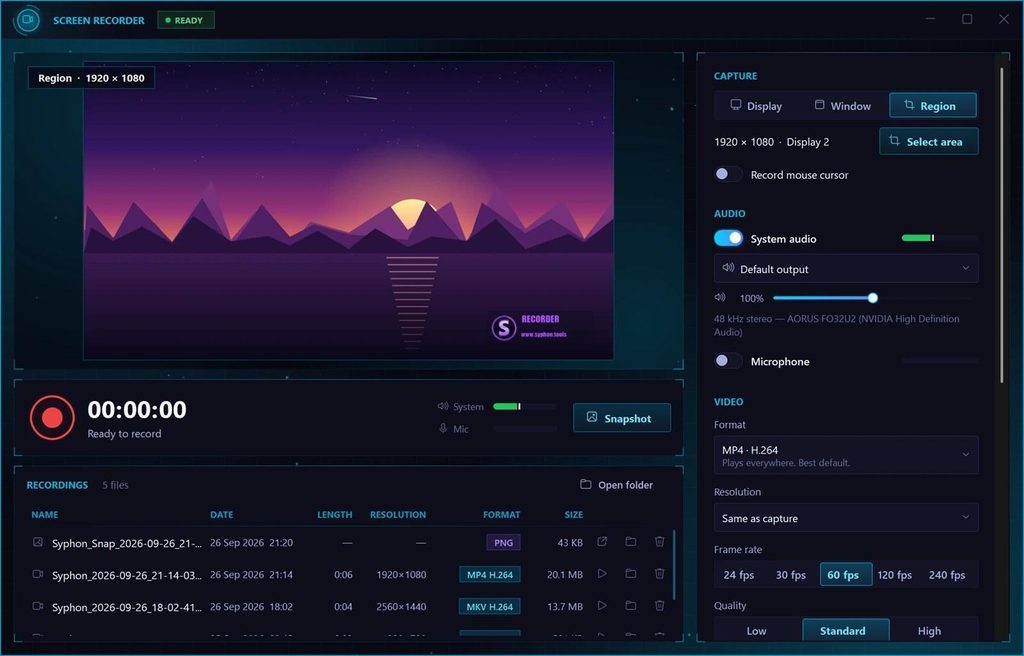
Record your whole screen, one window or an area you draw, with your game’s sound and your microphone at their own volume, and your webcam in a corner.
It records with your NVIDIA, AMD or Intel graphics card or with the CPU, at 24, 30 or 60 fps, and at 120 or 240 fps on graphics cards that support it. Press F9 to start and stop, F10 to pause and F11 for a screenshot.
- Full screen, one window or an area
- Game sound and mic, each with its own volume
- Webcam overlay in any corner
- Saves MP4, MKV or AVI
Videos get a small syphon.tools mark in the corner.
AUTOMATION
Syphon Macro: record your mouse and keyboard once
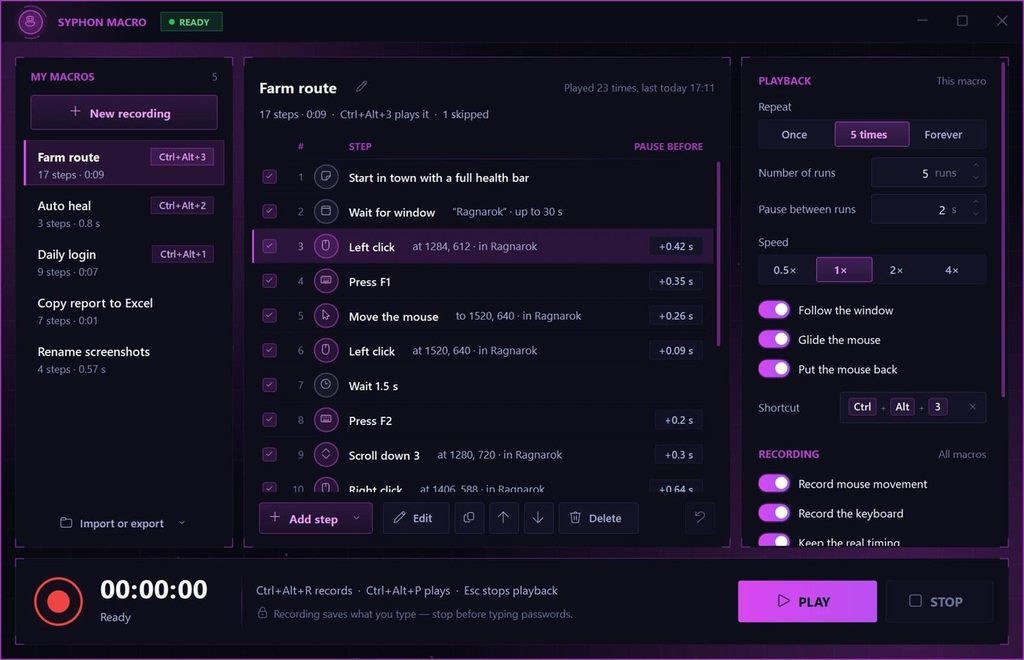
Syphon Macro records what you do with your mouse and keyboard and plays it back with one shortcut: Ctrl+Alt+R records, Ctrl+Alt+P plays. Every step shows up in a plain list, so you can change, add or remove any of them.
A macro can wait for a colour on screen or for a window to appear, and repeat once, a few times or forever, from half speed up to 4 times as fast. Press Esc to stop it at any moment.
- Record once, replay with one key
- Edit every step in a plain list
- Wait for a colour or a window
- Each macro can get its own shortcut
Check your game’s or server’s rules on macros before you use one.
VIDEO & MUSIC
Syphon Downloader: save videos and music from YouTube and more
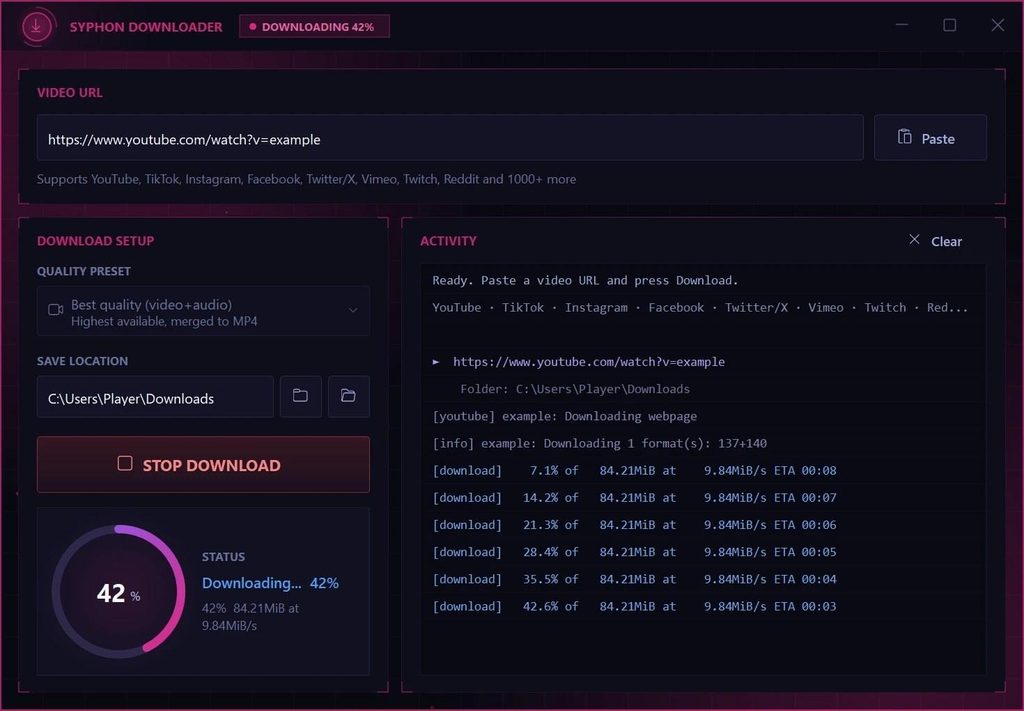
Paste a link from YouTube, TikTok, Instagram, Facebook, X, Vimeo, Twitch, Reddit and more, pick a quality and press Start. Save the video as an MP4 in Best, 1080p, 720p or 480p, or only the audio as MP3 or M4A.
No converter websites full of ads, and files are named after the video’s title.
- YouTube, TikTok, Instagram, X and more
- MP4 in Best, 1080p, 720p or 480p
- Audio only as MP3 or M4A
- Saves to your Desktop or any folder
Only save videos you are allowed to download.
TORRENTS
Syphon Torrent: a torrent client without ads
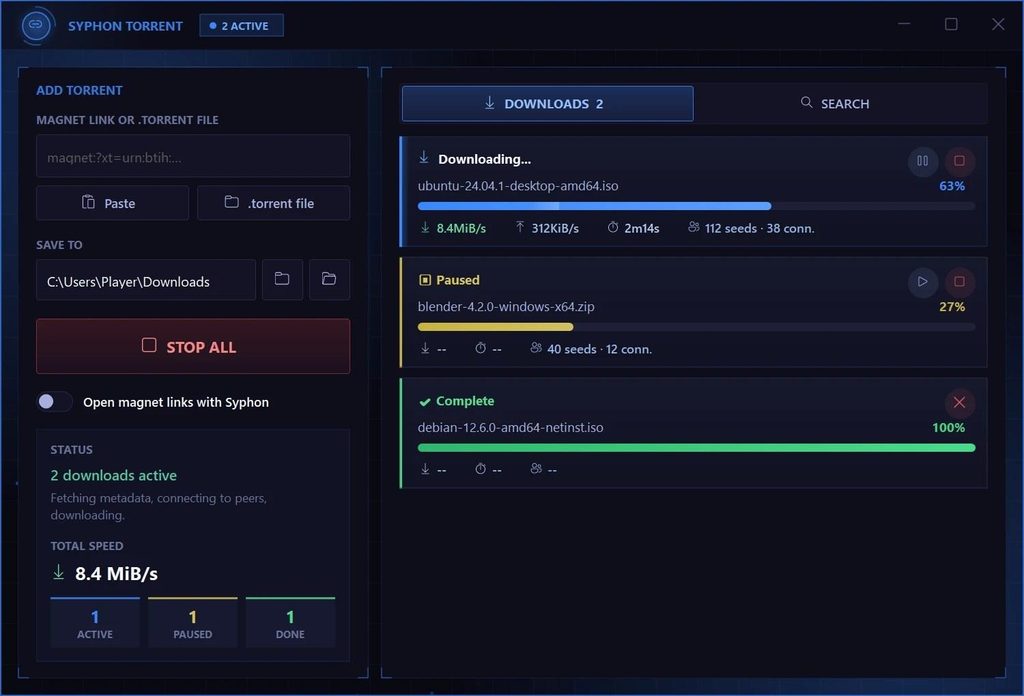
A clean torrent client with no ads and no bloat. Paste a magnet link or drop in a .torrent file, run several downloads at once and pause or resume any of them. Unfinished downloads are remembered for next time.
It uses the open-source aria2 engine and is handy for Linux ISOs, open-source software and other legal torrents. Sharing stops as soon as a download finishes.
- Magnet links and .torrent files
- Several downloads at once
- Pause, resume or stop each one
- Keeps going from the system tray
See your FPS, test your internet and put your hardware to work
Six tools to measure your frames, your connection and your hardware, with clear results instead of raw numbers.
OVERLAY
FPS Meter: an FPS counter overlay for your games
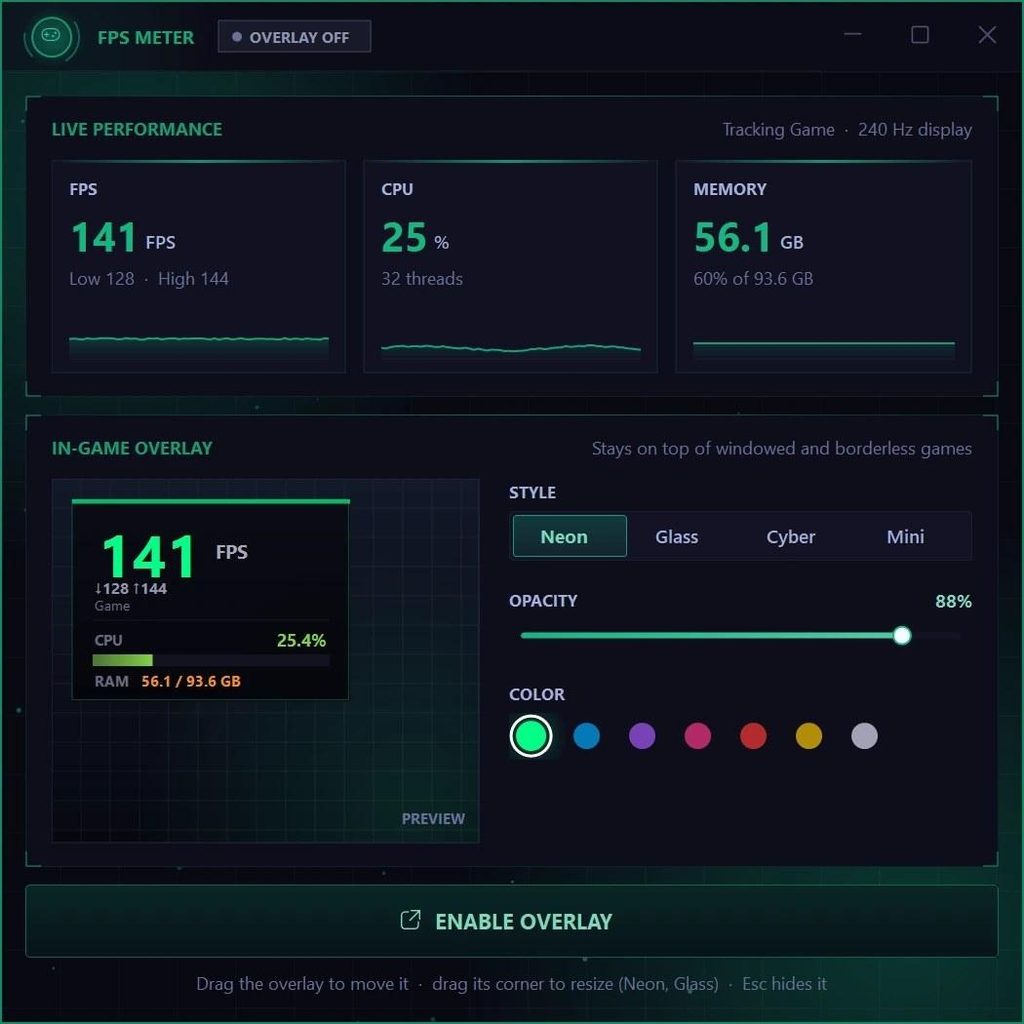
See how many frames per second your game really gets, measured by Windows itself, together with the lowest and highest of the last few seconds and live CPU and memory graphs.
Put it on top of your game as a small overlay in one of four styles: Neon, Glass, Cyber or Mini. It doesn’t touch the game and shows over windowed and borderless games.
- Live FPS with low and high
- CPU and memory graphs
- Overlay in four styles
- Pick its colour and see-through level
INTERNET
Speed Test: check your internet speed and ping
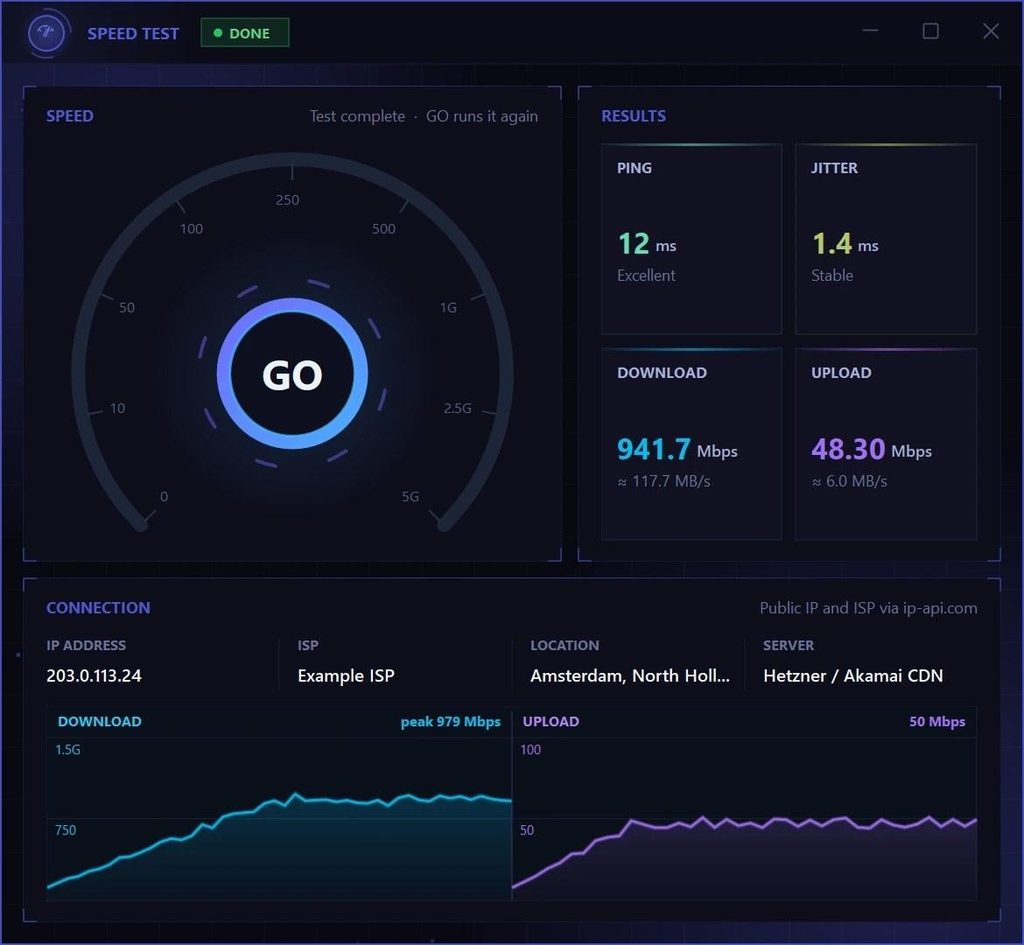
Measure your real internet speed in about 45 seconds on a live speed dial: ping and jitter, then download and upload, 20 seconds each over 32 connections. It also shows your public IP and your provider, with easy ratings like Excellent or Stable.
- Ping and jitter
- Download and upload
- Your IP and provider
It uses real data, so be careful on a mobile hotspot.
NETWORK TOOLS
Syphon Port Check: six network checks in one window
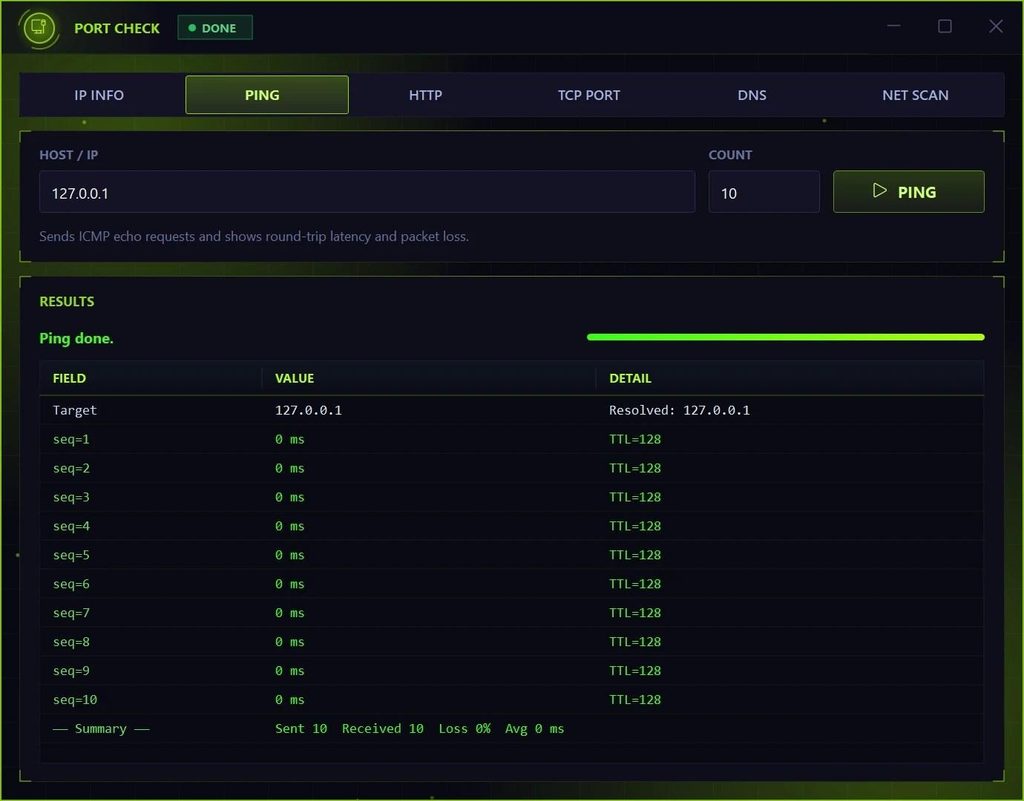
Look up where an address is, test your ping and see which ports are open. Syphon Port Check brings IP info, DNS lookups, a ping test with packet loss and a clear verdict, a website check, a port scan and a finder for the devices on your home network together in one window.
- IP info and DNS lookups
- Ping with packet loss
- Port scan and device finder
It only looks things up and changes nothing on your PC.
STRESS TEST
CPU Stress Test: push every core to 100%
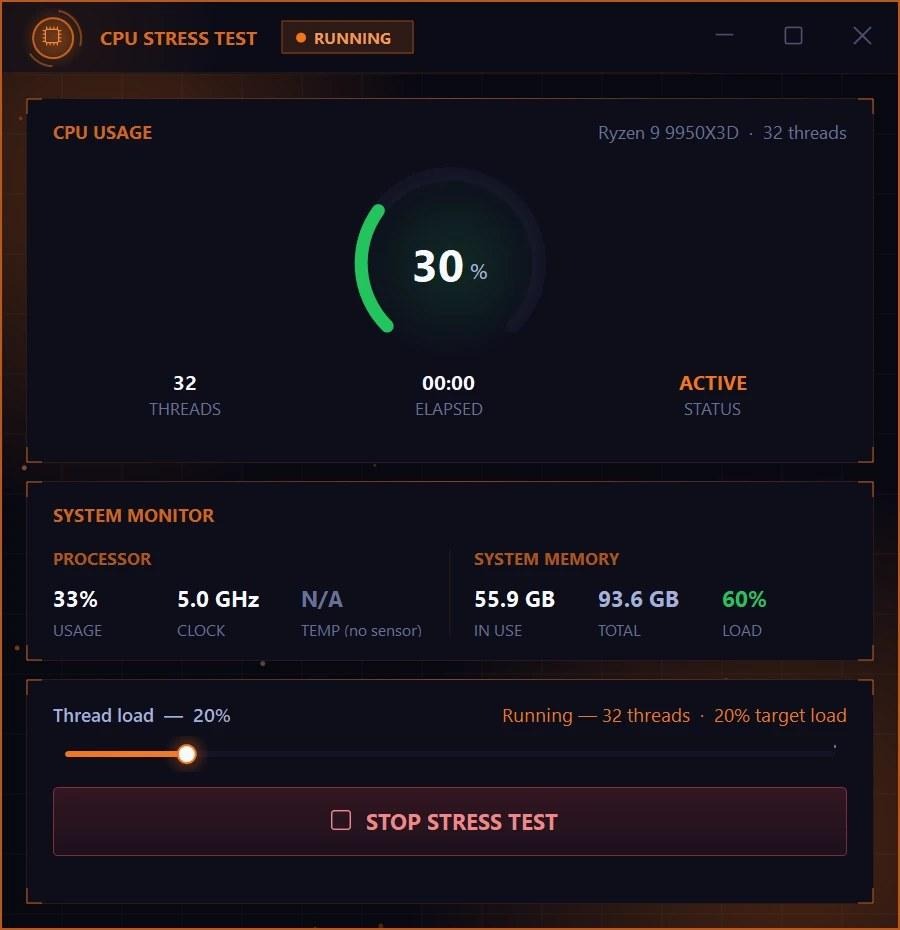
Keep every core of your processor busy, from 5% up to 100%, and watch the usage, clock speed and temperature live. Change the load while it runs and stop it at any moment.
- Load from 5% to 100%
- Live clock speed and temperature
Your PC gets hot and loud during the test.
STRESS TEST
Memory Stress Test: see how your PC copes with full RAM
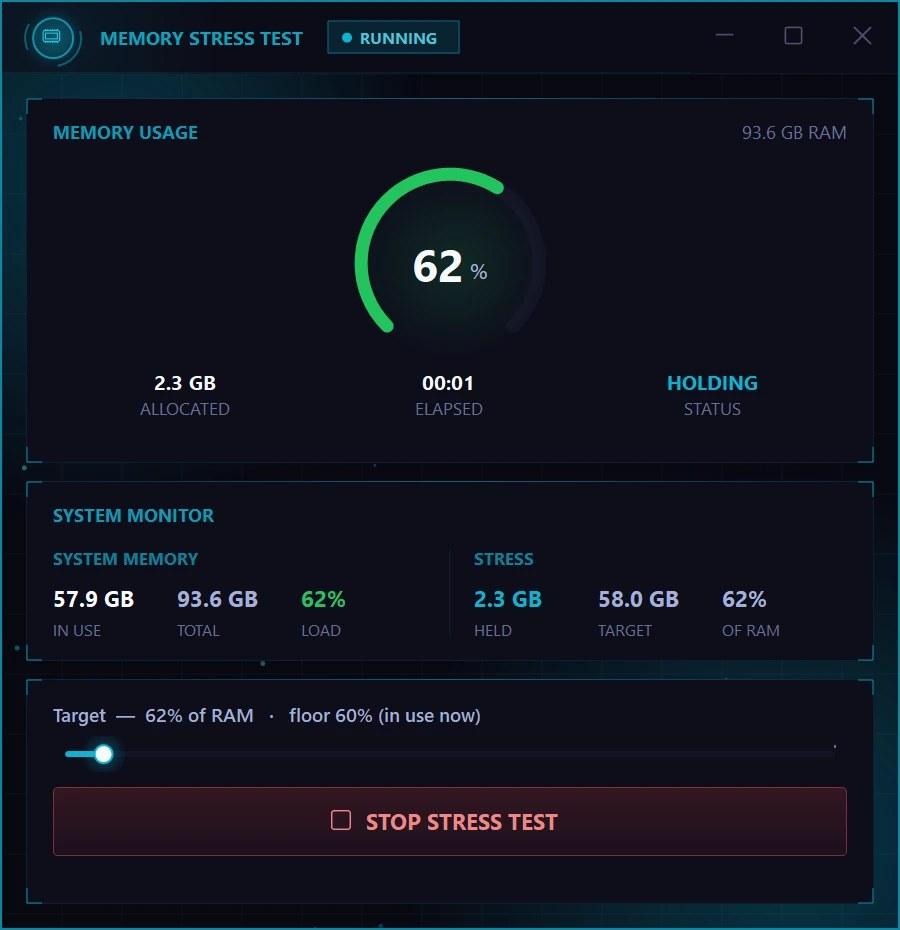
Fill your memory up to a level you choose and hold it there, to see how your PC behaves when RAM runs low. Stop it and everything is freed at once.
- Pick a target up to 100% of your RAM
- Change it while the test runs
It is a load test, not an error scanner.
BENCHMARK
Disk Benchmark: an SSD and hard drive speed test
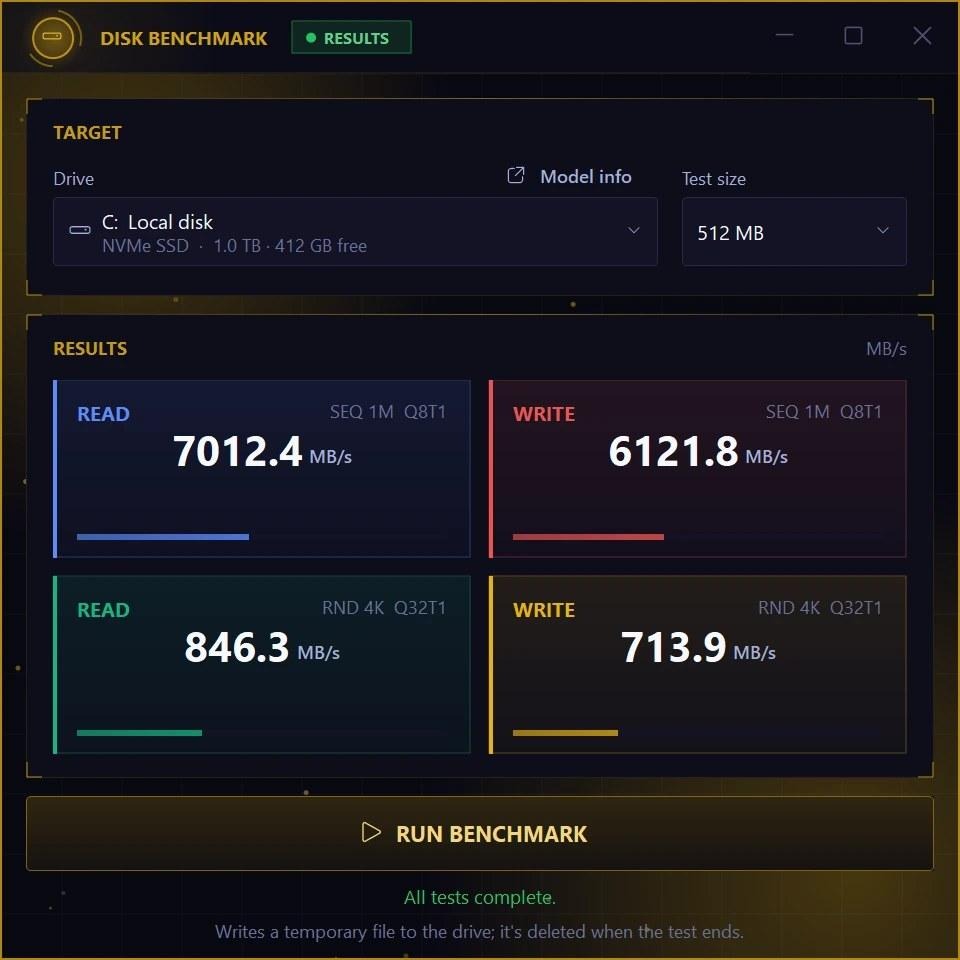
Measure how fast a drive reads and writes, for big files and small ones, in MB per second, with Microsoft’s DiskSpd engine. Handy for checking a new SSD. A run takes about 45 seconds and the test file is deleted afterwards.
- Big-file and small-file speed
- Any drive, 512 MB to 16 GB test
How to get Syphon Tools
- Download the setup: Go to syphon.tools/downloads and download the setup. The ZIP password is syphon.
- Press INSTALL: Open the setup and press INSTALL. It fetches the newest version of Syphon while it installs.
- Sign in and pick a tool: Open Syphon Tools and sign in with a free Syphon account. All 16 tools are in the menu.

The Syphon Tools setup: one window, one INSTALL button
Windows asks for administrator rights, because the tools change Windows settings. Syphon is a new, small publisher, so Windows SmartScreen can show a warning: click More info and then Run anyway.
Good to know
Is Syphon Tools free?
Yes. Download it, then sign in with a free Syphon account. You can create one in the app or on syphon.tools.
Which Windows versions does it support?
Windows 10 and Windows 11.
Does it update itself?
Yes. It checks for a new version every time it starts.
My antivirus warns about it. Is it safe?
Some scanners guess from how a file looks, and they sometimes flag new programs like Syphon. The downloads page shows the live VirusTotal report for the setup and the app, in the scanners’ own words.
Syphon Tools is free, made for players on ordinary PCs, and grows with every update. Download it at syphon.tools and say hi in the Discord community.